Archived post from my old website josefprusa.cz. Content and links may be out of date. https://josefprusa.cz/solidworks-opengl-osx-parallels-hd400/
Working Solidworks OpenGL on OSX and Parallels
Josef Průša
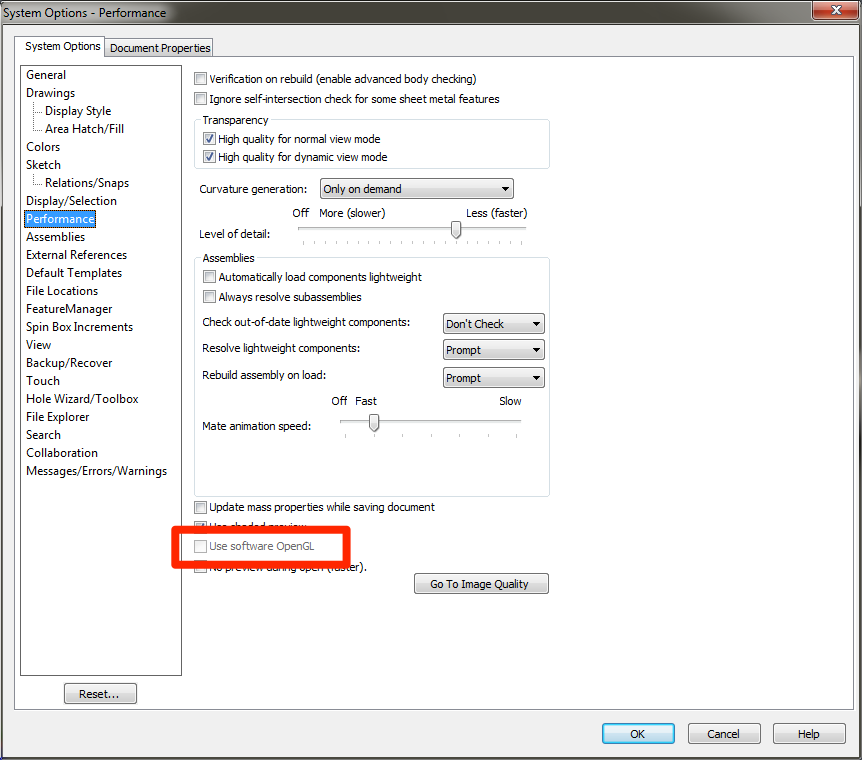
Few weeks ago I stumbled upon interesting problem, we were trying out Solidworks on friends computer (MacBook with integrated Intel HD4000) and everything was very slow. Turned out, that OpenGL acceleration isn't working. Well, obviously, you have to buy a special certified graphics card for that. Which ain't easy with a MacBook. I looked around the internet and found few registry workarounds. None of them worked though.
Solidworks on Intel HD4000
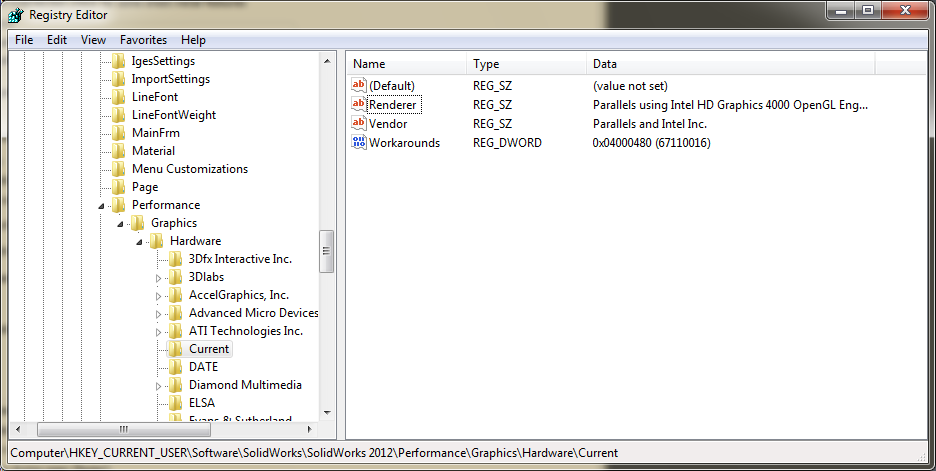
After some digging, it turned out that you need to set Workarounds in registry, but there was no key for our current setup. When you set Workarounds in the "Current" key, it resets to default value after, which disables the OpenGL.
HKEY_CURRENT_USER\Software\SolidWorks\SolidWorks 2012\Performance\Graphics\Hardware\Current
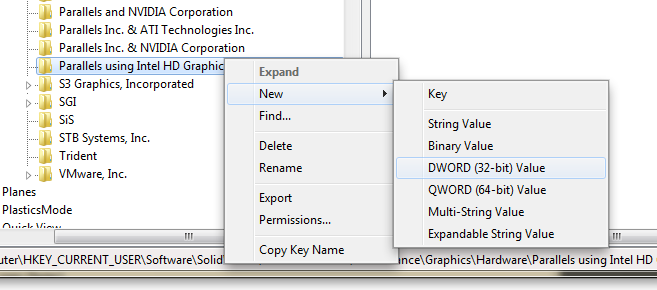
Solution turned out to be extremely easy! We need to create a new key for the Renderer you find under Current key. In our case it is Parallels using Intel HD Graphics 4000 OpenGL Engine.
For Parallels and Intel HD4000, you can create "solidworks.reg" with test from bellow and double click it, or you can follow the screenshots.
[HKEY_CURRENT_USER\Software\SolidWorks\SolidWorks 2012\Performance\Graphics\Hardware\Parallels using Intel HD Graphics 4000 OpenGL Engine]
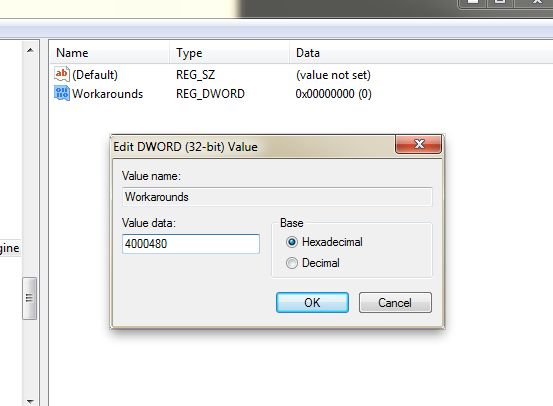
"Workarounds"=dword:04000480
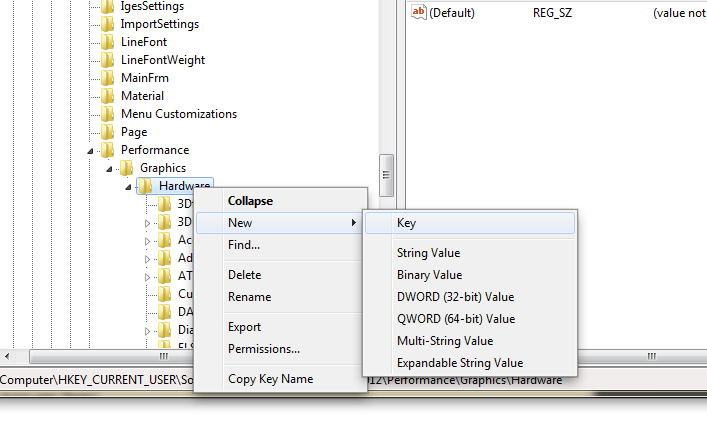
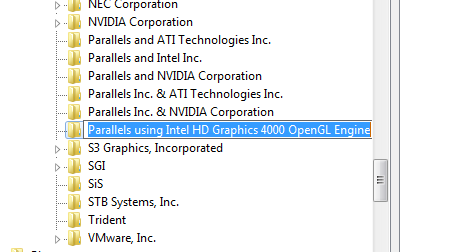
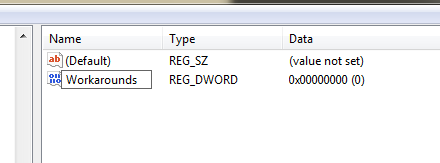
Set the value to 4000480
Start Solidworks and enjoy!